You’re not the only one who has to move around, stretch your neck, or stand up to feel comfortable all the time. A lot of people who work from home find that their office chair hurts them every day after they work long hours. A tiny problem can silently evolve into a big one that hurts your health, focus, and productivity.
Studies show that a lot of people who work from home have pain in their backs and necks because of how their office chair is set up. Bad sitting can make your muscles sore, stiff, and tired every day. The good news is that most problems with office chairs are easy to fix once you know what to look for and how to do it. This book lists the most frequent chair difficulties that people who work from home have and gives you useful, realistic solutions to help you sit more comfortably and keep your posture excellent.
Common Office Chair Problems Remote Workers Face
Poor Lumbar Support
Bad lumbar support is one of the most common problems with office chairs. The lower back naturally curves inward, and when a chair doesn’t support it, the spine has to move into an awkward position. Over time, this might make your lower back hurt, your muscles tense, and your spine tired.
If you have lower back pain, stiffness after sitting, or feel like you need to slouch or lean forward to keep comfortable, it could be a sign that you don’t have enough support. Even brief work sessions might be difficult without the right lumbar support.
Non-Adjustable Height or Armrests
Chairs that don’t allow for much or any adjustment can cause alignment problems. If you can’t change the height of the seat, your knees may be too high, or your feet may not be flat on the floor. Bad location of the armrests can put a lot of pressure on the elbows and wrists, especially for people who work from home and type for lengthy periods of time.
Customization is important because everyone’s body type and workspace are different. A chair that doesn’t fit your demands will almost always cause postural difficulties.
Inadequate Seat Cushioning
A seat cushion that is worn out or too thin puts too much strain on the hips and thighs. This slows down blood flow and makes the lower body hurt over time. Many common office chair types lose their padding faster than you might think, especially if you use them every day at home.
This problem often makes you feel numb or sore, or like you have to move around a lot to get comfort.
No Breathable Material
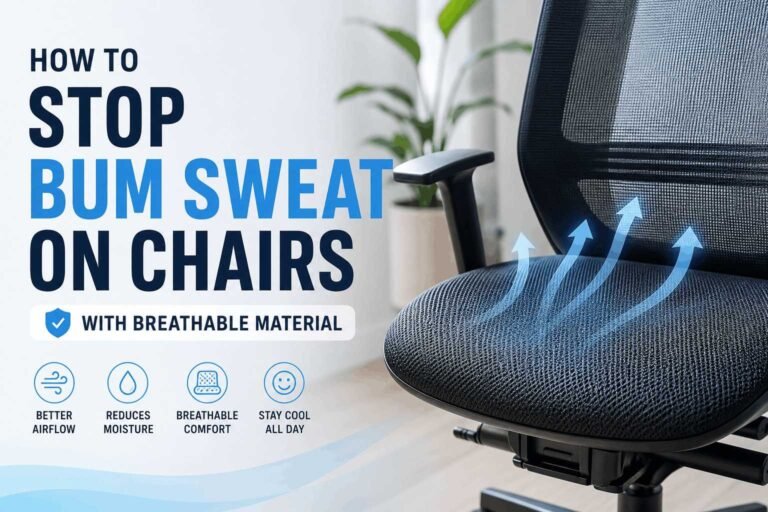
Not having enough breathable material is a problem that is often disregarded. Chairs made of leather or fabric that doesn’t breathe can trap heat, which can make you sweat and feel uncomfortable during long work periods. This is especially clear in warm places or residences where the air doesn’t move around very well.
Mesh chairs usually let more air flow through them, but the amount of airflow in fabric and leather chairs depends on how they are made and how good they are.
Chair Does Not Match Desk Height
If the height of the chair and the height of the desk don’t match, it won’t be long before you have posture difficulties. If your desk is too high, your shoulders and neck will hurt. When a desk is excessively low, it makes you lean down and tilt your head forward.
Your elbows should be able to rest comfortably at desk height, your knees should be bent at a near 90-degree angle, and your feet should be flat on the floor. Even tiny mistakes might build up over time.
Poor Wheel or Base Support
Issues with the chair’s base, wheels, or gas lift can make it less comfortable and safe. It’s tougher to move around organically when the wheels squeak, the movement is rigid, or the thing is unstable. Sometimes, worn-out casters or an unstable foundation make it more likely that the object will tip over or move suddenly.
If you don’t take care of your equipment, including not putting oil on moving parts, these problems will usually get worse with time.
Ergonomic Solutions to Office Chair Problems

Invest in an Ergonomic Chair
Buying a high-quality ergonomic chair is one of the best long-term options. These chairs are made to support the spine, encourage excellent posture, and fit each person’s needs.
Look for adjustable lumbar support, seat height, armrest location, tilt tension, and a seat cushion that supports your body. For everyday comfort, the materials should be breathable and the gas lift mechanism should be smooth.
Ergonomics experts often talk about well-known brands like Herman Miller, Steelcase, and Secretlab because they are strong and can be changed. These chairs are an investment, but they are made to last and are better at supporting lengthy periods of sitting than cheap models.
Use Accessories to Improve Comfort
If you can’t get a new chair right away, accessories can help fill the gap. Memory foam seat pads help spread out pressure better, while lumbar cushions provide your lower back more support. Armrest covers make hard surfaces softer and put less strain on your elbows.
Footrests are also helpful when adjusting the height of the chair isn’t enough to keep your feet flat on the floor. These extras don’t cost too much and can make a big difference in how comfortable a home office is.
Desk Height and Monitor Adjustments
An improperly set up desk can’t be fixed by even the nicest office chair. The top of the screen should be at or just below eye level when you look at it from the monitor. This helps keep your neck from hurting and keeps your posture neutral.
At desk height, your elbows should be close to your torso and make a 90-degree angle. If your desk is fixed, risers or adjustable keyboard trays might help you get the alignment exactly right. Organizations like the Occupational Safety and Health Administration (OSHA) provide detailed requirements for ergonomic workspaces.
Standing Desk Alternatives
More and more people who work from home are using hybrid workstations. You can switch between sitting and standing workstations and sit-stand converters during the day. This lessens the bad consequences of sitting for lengthy periods of time.
The National Institute for Occupational Safety and Health says that altering your posture often can help lessen strain on your muscles and joints and make you more comfortable in the long run.
Budget-Friendly Fixes and DIY Solutions
Make Your Current Chair More Comfortable
You may make things more comfortable without spending a lot of money by making little changes and doing repairs yourself. A rolled-up towel under your lower back can help support your lower back. Folding a blanket or putting a foam insert under the seat cushion can make the padding thicker for a short time.
Putting oil on noisy joints, tilt mechanisms, or casters usually makes them move more smoothly and makes less noise.
Affordable Ergonomic Accessories
You may get a lot of ergonomic accessories that don’t cost a lot of money. You can easily find lumbar cushions, laptop stands, monitor risers, and simple footrests for less than $50. When used with the right chair adjustments, these items can help you sit up straighter and feel less pain.
Budget-friendly accessories won’t replace a high-quality ergonomic chair, but they can make you much more comfortable in the short run.
Quick Adjustment Checklist
Use this checklist to review your setup:
- Put your feet flat on the floor.
- Knees bent at roughly 90 degrees
- Monitor at eye level
- Elbows should be at the same height as the desk.
- Shoulders should be relaxed and not lifted.
Making little changes based on this list can sometimes fix more than one chair problem at a time.
When to Replace Your Office Chair
Signs of Wear and Reduced Support
A chair won’t last forever. If the seat cushions are worn out, the armrests are unstable, the tilt mechanisms are loud, or the gas lift is broken, it’s a clear sign that support has gone down. If you’re still uncomfortable after making changes and adding accessories, getting a new one may be the best option.
Average Lifespan by Chair Type
With daily use, basic office chairs usually last three to five years. Ergonomic chairs made of mesh and fabric usually survive longer, especially if they have parts that can be replaced. If you take care of them, high-quality ergonomic models can survive for more than ten years.
Warranty and Replacement Cycles
Warranties are a big part of the decision to fix or replace something. Replacing items like casters or a gas lift on a chair that is still under warranty may make it more comfortable again. When structural support is broken, replacing it is usually the best choice for posture and productivity.
Frequently Asked Questions
Sick of being uncomfortable at work for long hours?
Get a new chair that supports your back, posture, and productivity.